Convert More Visitors with Smart Popups
Build modals, slide-ins, notification bars, and inline forms in Craft CMS — with targeting rules, email integrations, and conversion analytics built in.
$19 one-time license fee + $9/year for updates

In The Control Panel
Real screens from a Craft 5 install — three popups running against real traffic, and the leads they collected.
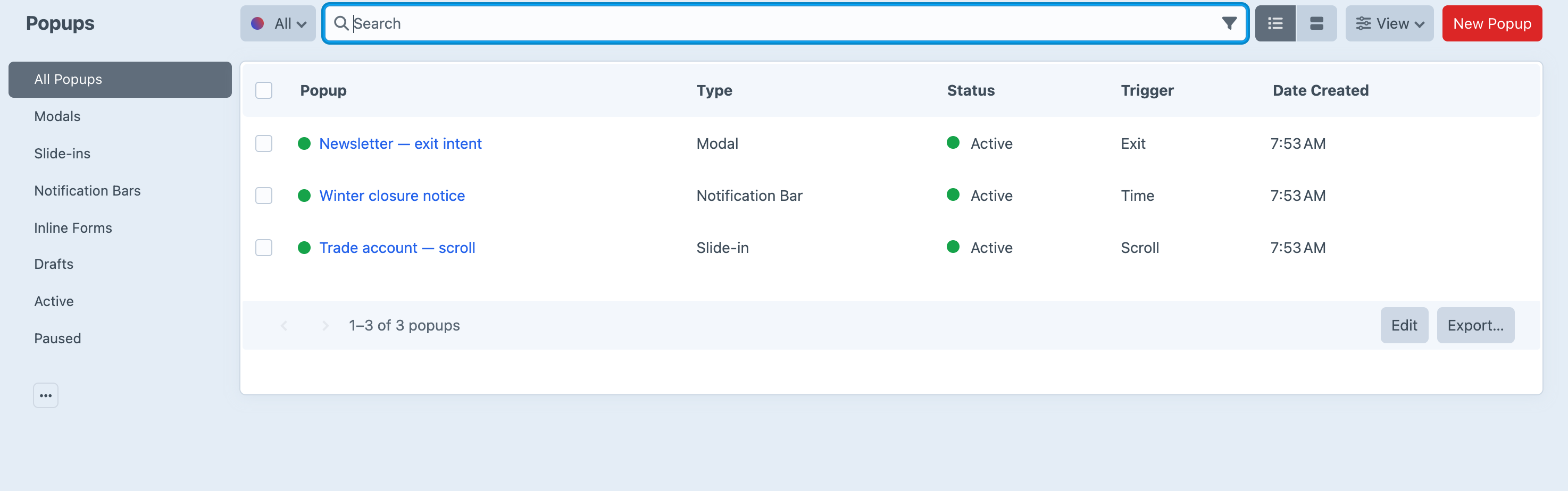
Every popup, its type and what sets it off.
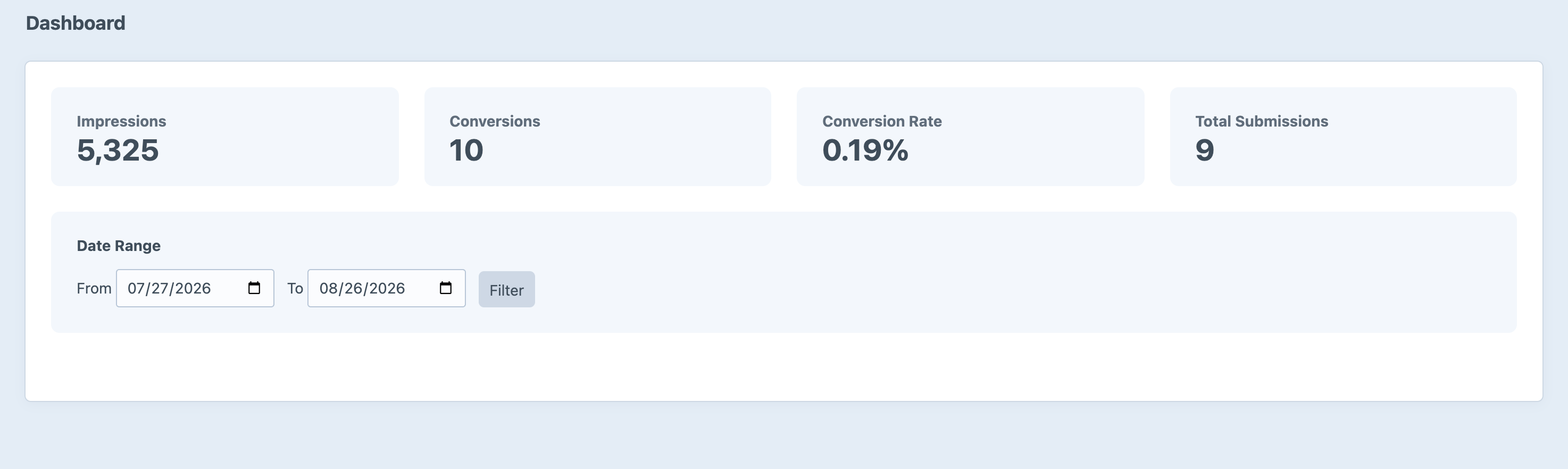
Impressions, conversions and rate over whatever range you pick.
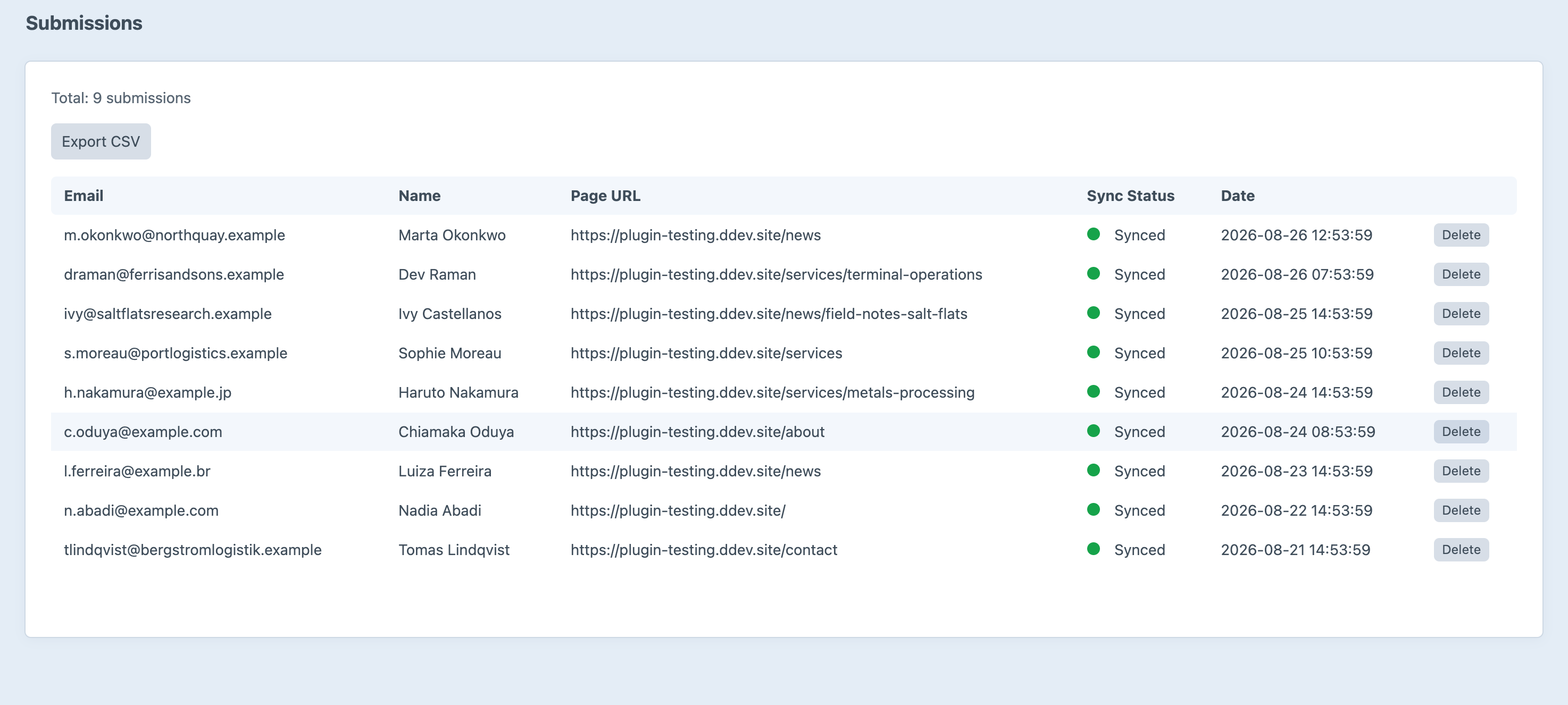
Every lead, and the page that captured it.
Screenshots from a live install, not mockups.
Features
Everything you need to capture leads and grow your audience.
Multiple Popup Types
Choose from modals, slide-ins, notification bars, and inline forms — each with flexible position options so you can put the right message exactly where it converts best.
Smart Triggers
Show popups on time delay, scroll percentage, exit intent, or click. Reach visitors at the perfect moment instead of interrupting them the instant they arrive.
Built-in Templates
Start fast with 8 ready-made designs across three style families — clean, bold, and minimal — then tailor colors and copy to match your brand.
Email Integrations
Sync new subscribers to Mailchimp, ConvertKit, or any service via generic webhooks. Queue-based delivery keeps submissions reliable even under heavy traffic.
Analytics Dashboard
Track impressions, conversions, and conversion rates with date-range filtering. See what’s working at a glance and double down on your best-performing popups.
Targeting Rules
Target by page URL, device type, and visitor frequency so the right people see the right offer — and returning visitors aren’t shown the same popup again and again.
Built-in Spam Protection
Honeypot fields and configurable rate limiting keep bots and abuse out of your lists, so the data you collect stays clean and actionable.
Frequently Asked Questions
Common questions about Leads.
The $19 one-time fee gives you a single-site license for Leads, including all features: every popup type, smart triggers, built-in templates, email integrations, targeting rules, the analytics dashboard, and spam protection. You also get one year of updates.
After the first year, you can renew for $9/year to continue receiving updates and new features. If you choose not to renew, your existing version will keep working — you just won’t receive updates.
Leads supports modals, slide-ins, notification bars, and inline forms. Each type has position options so you can place it wherever it converts best on the page.
Popups can be triggered by time delay, scroll percentage, exit intent, or a click on a specific element. You can fine-tune each trigger so visitors see your message at the right moment.
Leads integrates with Mailchimp and ConvertKit out of the box, plus a generic webhook for any other service. Submissions sync through Craft’s queue, so delivery stays reliable under load.
You can target by page URL, device type, and visitor frequency — for example, showing an offer only on certain pages, only on desktop, or only to first-time visitors.
Every form includes an optional honeypot field and configurable per-minute rate limiting to block bots and abuse, keeping your subscriber lists clean.
Leads requires Craft CMS 5.3 or later and PHP 8.2 or later. It supports both MySQL and PostgreSQL databases.
Ready to start converting?
Get Leads for your Craft CMS project today.
$19 one-time license · $9/year for updates